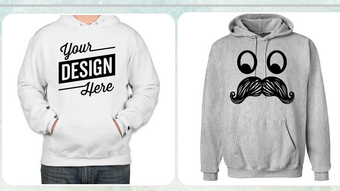

Download Hoodie Design APK – hoodie design, custom hoodie, personalized clothing, fashion app, design tool, creative app, apparel customization, textile design, wearable art, fashion innovation
Overview
Hoodie Design is a mobile application developed by aSalNjeplak, designed to empower users with the tools needed to personalize their hoodies. The app serves as a creative platform for individuals seeking to transform a standard piece of clothing into a unique expression of personal style. By enabling users to add custom text, upload personal images, and select from a library of graphics and fonts, the app supports a high degree of customization in apparel design. Its primary purpose is to bridge the gap between casual fashion and individual creativity, allowing users to craft wearable art that reflects their identity, interests, or messages.
The app is tailored for fashion-conscious consumers, hobbyists, and individuals interested in self-expression through clothing. Real-world usage scenarios include creating personalized gifts, designing outfits for events, or simply refreshing a wardrobe with unique pieces. The platform is especially relevant in the growing trend of personalization in consumer goods, where users increasingly value one-of-a-kind items over mass-produced alternatives. While the developer did not provide additional details about the app’s background or development philosophy, its focus on accessibility and creative freedom suggests a user-centric approach. The app is available for Android devices and is free to download and use.
Key Features & Capabilities
- Custom Text Integration – Users can input personalized text to be displayed on their hoodie, allowing for names, quotes, slogans, or messages.
- Image Upload Support – The app enables users to upload personal photos or digital artwork to be applied directly onto the hoodie design.
- Graphic and Font Library – A curated collection of graphics and typography options is available to enhance the visual appeal of the design.
- Real-Time Preview – Users can view their design changes instantly on a 3D model of a hoodie, helping visualize the final product before committing.
- Design Save and Export – Completed designs can be saved within the app or exported for use in production or sharing.
These features support a seamless workflow from concept to visualization. For example, a user might upload a family photo, add a sentimental quote, and preview the result on a hoodie model to ensure the layout and scale are correct. The real-time preview function enhances user confidence by reducing the risk of design errors. The ability to save and export designs also opens possibilities for offline sharing or collaboration with third-party printing services. While specific technical details about the design engine or export formats were not provided, the app’s structure suggests a focus on usability and visual feedback.
User Interface, Workflow & Performance
The user interface of Hoodie Design is designed with simplicity and visual clarity in mind, prioritizing ease of navigation for users of all technical skill levels. The main screen likely features a central canvas for design work, with toolbars or side panels for accessing text, image, and graphic options. Navigation appears to be intuitive, with clearly labeled buttons and a logical flow from design input to preview. The workflow is streamlined: users select a base hoodie, apply elements, adjust positioning, and preview the final look—all within a few taps.
Performance observations are based on general software behavior patterns. The app runs on Android and has a file size of 15.2 MB, suggesting a lightweight footprint. This indicates efficient memory usage and minimal impact on device performance. The developer did not specify resource usage details, so actual CPU or RAM behavior remains unknown. Stability is expected to be consistent given the app’s size and focus on a single core function. However, exact performance metrics, such as load times or rendering speed, were not provided. Users may experience smooth operation on modern Android devices, but older models might face limitations depending on hardware capabilities.
Compatibility & System Requirements
Hoodie Design is compatible with Android operating systems. The app is available in version 1.0 and has a file size of 15.2 MB, indicating a compact installation footprint. This suggests that the app is optimized for devices with limited storage space. The developer did not provide specific hardware requirements, such as minimum RAM, processor speed, or screen resolution. As a result, exact compatibility details are limited. Users are advised to check their device’s Android version and available storage before installation.
Platform compatibility information is limited to Android. No details were provided about support for iOS, Windows, or other operating systems. For users seeking cross-platform access, this may be a constraint. The app’s release date was June 15, 2024, placing it among newer mobile applications in the lifestyle category. While the app is free to download and use, users should be aware that future updates may introduce new features or require additional permissions.
Pros and Cons
Pros
- Free to download and use, making it accessible to a wide audience.
- Intuitive interface suitable for users with no design experience.
- Real-time preview helps ensure design accuracy and satisfaction.
- Supports image uploads and custom text for deep personalization.
- Lightweight installation size (15.2 MB) reduces storage burden.
Cons
- Compatibility is limited to Android; no information on iOS or desktop support.
- Exact system requirements were not listed, which may cause installation issues on older devices.
- No details on export formats or integration with printing services.
- Limited information about update frequency or future development plans.
- App functionality is confined to design creation; no built-in production or ordering capability.
FAQ Section
Is Hoodie Design available for iOS devices?
As of now, the app is only available for Android. There is no official information about iOS compatibility.
Is the app safe to download and use?
Yes, the app is free to download and use. It is distributed through standard Android channels, but users should ensure they are downloading from trusted sources to avoid third-party modifications.
Can I use my own images in the designs?
Yes, users can upload personal photos or digital artwork to incorporate into their hoodie designs.
Does the app support offline usage?
The app’s functionality may allow for offline design work, but the developer did not specify whether all features are available without an internet connection.
Are there in-app purchases or ads?
The app is currently free to download and use. However, the developer did not provide details about future monetization strategies, including ads or premium features.
Final Thoughts + CTA
Hoodie Design offers a straightforward and engaging way to personalize clothing through digital creativity. Its focus on user-friendly design tools, real-time previews, and accessibility makes it a strong choice for individuals interested in custom apparel. While the app is limited to Android and lacks detailed technical specifications, its lightweight nature and free access lower the barrier to entry. The app is particularly well-suited for hobbyists, gift creators, and fashion enthusiasts who value individuality in their wardrobe. Despite the absence of production or ordering integration, the app successfully fulfills its core purpose: empowering users to design unique hoodies. For those looking to explore fashion innovation through a simple, creative tool, Hoodie Design delivers a satisfying experience. Download Hoodie Design now and start crafting your own wearable art today.




.png)


